For your household paperwork
A refund and rebate tracker built around the deadline
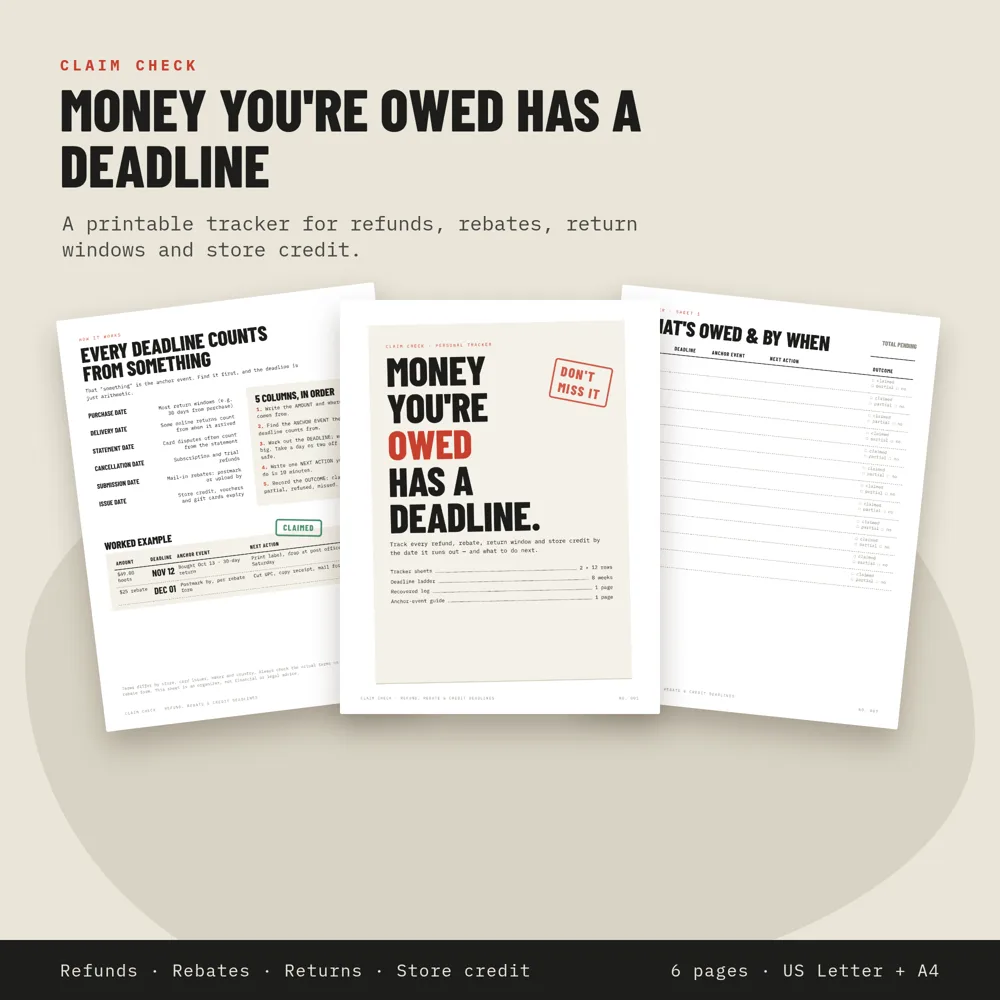
Return windows, mail-in rebates, subscription refunds and store credit almost all have a deadline, counted from a date that's easy to forget. Claim Check writes that date down first.
Get my tracker · $56 pages · US Letter + A4 PDF · Instant download · 14-day no-questions-asked refund · Secure Payhip checkout (PayPal or card)
Step by step
Write the amount
What you're owed, and from whom.
Find the anchor event
Purchase, delivery, statement, cancellation, submission or issue date: the date the deadline counts from.
Work out the deadline
Anchor date plus the window in the terms. Give yourself a buffer.
Write the next action
One thing you can do in ten minutes, such as printing the label or filing the claim.
Record the outcome
Claimed, partial, refunded or missed, then add it to the recovered log.
What's inside
- Anchor-event guide with a worked example
- 2 tracker sheets (24 rows)
- 8-week deadline ladder to check every Monday
- "Recovered" log to add up what came back
Instant download · 14-day no-questions-asked refund · Secure Payhip checkout (PayPal or card)
Questions
Is it editable?
It's a printable PDF, black-and-white friendly. Print it, or annotate it in any PDF app.
Is this financial advice?
No. It's an organiser only. Always check the actual terms of each refund, rebate or credit.
What if it isn't for me?
There's a 14-day no-questions-asked refund. Email hello@belmo.app.
An organiser only, not financial or legal advice.